We are pleased to announce the release of BleuIO Pro firmware v1.0.7.0. This update focuses on improving stability, increasing BLE scan reliability during high-traffic scenarios, and adding a new command for retrieving RSSI values from active connections.
The latest firmware is now available for download from the BleuIO Pro firmware documentation page. Users can update their device by following the firmware update instructions here:
What’s New in Firmware v1.0.7.0
Improved Stability and Scan Performance
One of the key improvements in this release is the way BleuIO Pro handles BLE scan responses and USB logging. In previous versions, high BLE traffic could occasionally cause scan data to be lost when USB logging was happening at the same time.
To address this, scan result parsing and USB logging have now been moved to a dedicated Scan Processing Task. This separates time-sensitive BLE operations from heavier processing tasks, resulting in better performance and improved reliability.
A new FIFO scan response queue has also been added. This queue passes scan data from the BLE Task to the Scan Processing Task in an organized and efficient way. As a result, BleuIO Pro can now handle high-traffic BLE environments more reliably, especially when many nearby devices are advertising at the same time.
Better Handling of Shared Resources
This firmware also resolves potential race conditions between USB, BLE, and Scan Processing tasks. Mutexes have been added to protect shared resources, helping ensure that different tasks can work together safely without interfering with each other.
These changes make BleuIO Pro more stable and dependable for developers working with continuous scanning, logging, and data-heavy BLE applications.
New AT Command: AT+CONNRSSI
Firmware v1.0.7.0 introduces a new command:
AT+CONNRSSI
This command retrieves the RSSI value from an active BLE connection. It is useful for applications where signal strength monitoring is important, such as proximity detection, connection quality tracking, diagnostics, and BLE performance testing.
With this addition, developers now have a simple way to check the signal strength of a connected BLE device directly through the AT command interface.
Bug Fix: USB Device Serial Number Display
This release also fixes an issue where the USB Device Information Serial Number was truncated and only showed the first three digits.
With firmware v1.0.7.0, the serial number is now displayed correctly, making device identification and debugging more reliable.
How to Update
There are two ways to update your BleuIO Pro firmware.
You can download the latest firmware and follow the update instructions from the official documentation:
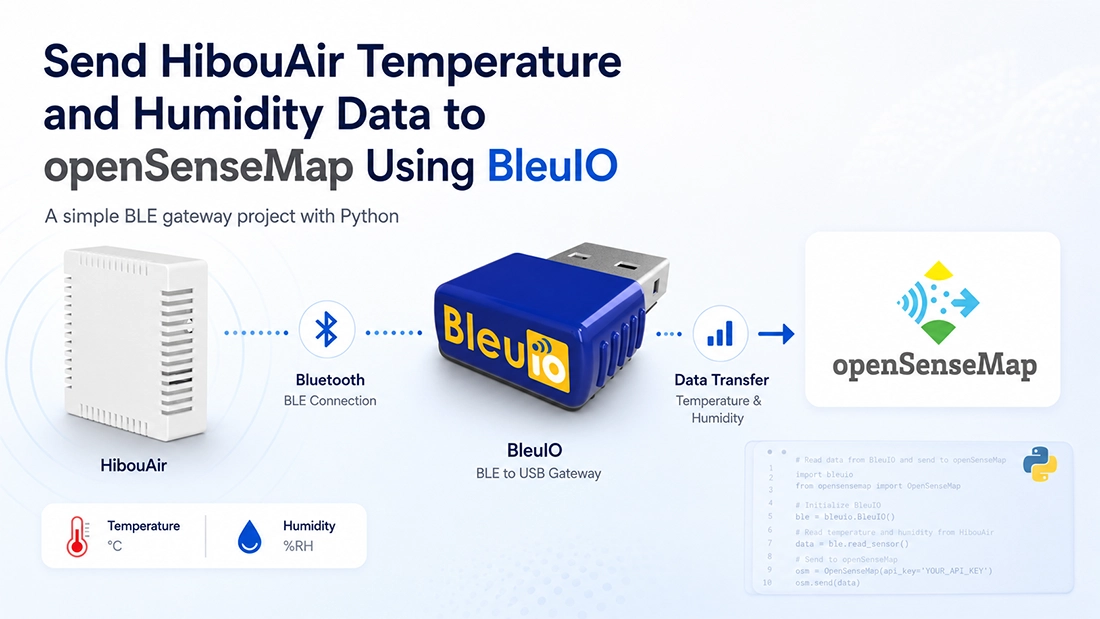
In this project, we are going to build a simple air quality data-sharing system using a BleuIO USB dongle, a HibouAir sensor, Python, and openSenseMap.
The goal of this project is to collect temperature and humidity data from a HibouAir sensor over Bluetooth Low Energy and publish the values online using openSenseMap. Once the data is uploaded to openSenseMap, it can be viewed publicly and shared with others.
This is a minimal project designed to show how BleuIO can be used as a BLE gateway for collecting environmental sensor data and sending it to an online platform. The same idea can later be expanded to include other air quality parameters such as CO2, VOC, particulate matter, pressure, or other sensor values.
What is openSenseMap?
openSenseMap is an open data platform for environmental sensor data. It allows users to create a virtual sensor station, called a senseBox, and upload measurements from different sensors.
By using openSenseMap, we can make our air quality data public and easy to access. This is useful for projects related to environmental monitoring, smart cities, classrooms, research, and IoT demonstrations.
In this project, we will create a senseBox on openSenseMap and add two sensors:
Temperature
Relative humidity
The Python script will read these values from the HibouAir BLE advertisement and upload them to the correct openSenseMap sensor IDs.
Project Requirements
To complete this project, we need the following hardware and software:
No extra microcontroller, BLE pairing, database, or web server is required. BleuIO connects directly to the computer through USB and is controlled using AT commands from the Python script.
Setting Up openSenseMap
First, create an account on openSenseMap. After logging in, create a new senseBox. This senseBox will represent the sensor station where our HibouAir measurements will be uploaded.
Inside the senseBox, create two sensors:
Temperature with unit °C
Relative humidity with unit %RH
After creating the senseBox and sensors, openSenseMap will provide different IDs. We need to copy and save the following values:
senseBox ID
Temperature sensor ID
Humidity sensor ID
These IDs are important because the Python script uses them to know where to upload each measurement. The senseBox ID identifies the box, while each sensor ID identifies the individual measurement field.
Configuring the Project
The project uses an info.txt file to store the required IDs and configuration values.
If info.txt does not already exist, copy the example file:
cp info.example.txt info.txt
Then add the openSenseMap IDs and the HibouAir board ID:
OPENSENSEMAP_BOX_ID=your_box_id_here
SENSOR_ID_TEMPERATURE=your_temperature_sensor_id_here
SENSOR_ID_HUMIDITY=your_humidity_sensor_id_here
HIBOUAIR_SENSOR_ID=220069

# Optional on macOS:
# BLEUIO_PORT=/dev/cu.usbmodemXXXX
The HIBOUAIR_SENSOR_ID is the board ID printed on the HibouAir sensor. The script uses this ID to filter BLE advertisements and make sure it is reading data from the correct device.
Normally, the script automatically finds the BleuIO serial port on macOS by checking /dev/cu.usbmodem* and /dev/cu.usbserial*. If needed, the port can also be added manually in info.txt.
The info.txt file is excluded from Git using .gitignore, so private box IDs and sensor IDs are not committed to the repository.
Installing Dependencies
Open Terminal, go to the project directory, and run:
pyserial is used to communicate with the BleuIO dongle over the serial port, and requests is used to upload data to openSenseMap.
How the Project Works
The BleuIO USB dongle is connected directly to the Mac. The Python script opens the BleuIO serial port and sends AT commands to scan for BLE advertisements from the HibouAir sensor.
The script uses the HibouAir board ID to filter the scan result. For example:
AT+FINDSCANDATA=220069=5
This command asks BleuIO to search for advertised data containing the board ID 220069 for five seconds.
When the scan response is received, the script decodes the latest valid HibouAir advertisement. It extracts only two values. Temperature and Relative humidity,
After decoding the values, the script uploads them to the configured openSenseMap senseBox using the temperature and humidity sensor IDs.
The upload process repeats every 60 seconds.
Only temperature and humidity are uploaded. Bluetooth addresses, raw advertising payloads, and other sensor values are not sent to openSenseMap or saved to a file.
Running the Script
Connect BleuIO to the Computer and run:
python3 main.py
Press Ctrl+C to stop the logger.
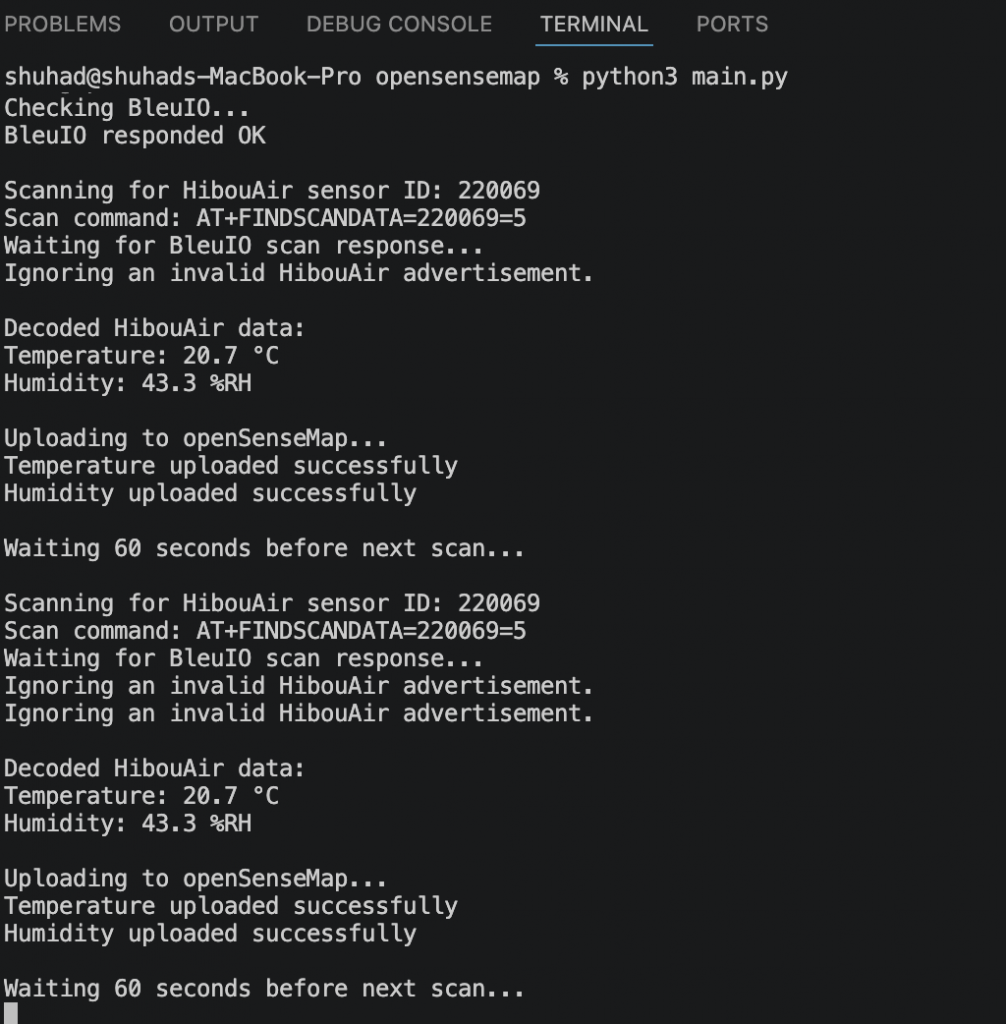
Example output:
## BleuIO HibouAir openSenseMap Logger

Using port: /dev/cu.usbmodem4048FDE52CF21
Checking BleuIO...
BleuIO responded OK

Scanning for HibouAir sensor ID: 220069
Scan command: AT+FINDSCANDATA=220069=5
Waiting for BleuIO scan response...

Decoded HibouAir data:
Temperature: 24.3 °C
Humidity: 42.8 %RH

Uploading to openSenseMap...
Temperature uploaded successfully
Humidity uploaded successfully

Waiting 60 seconds before next scan...
The script reads the BleuIO response, decodes the temperature and humidity values, uploads them to openSenseMap, and then waits before starting the next scan.
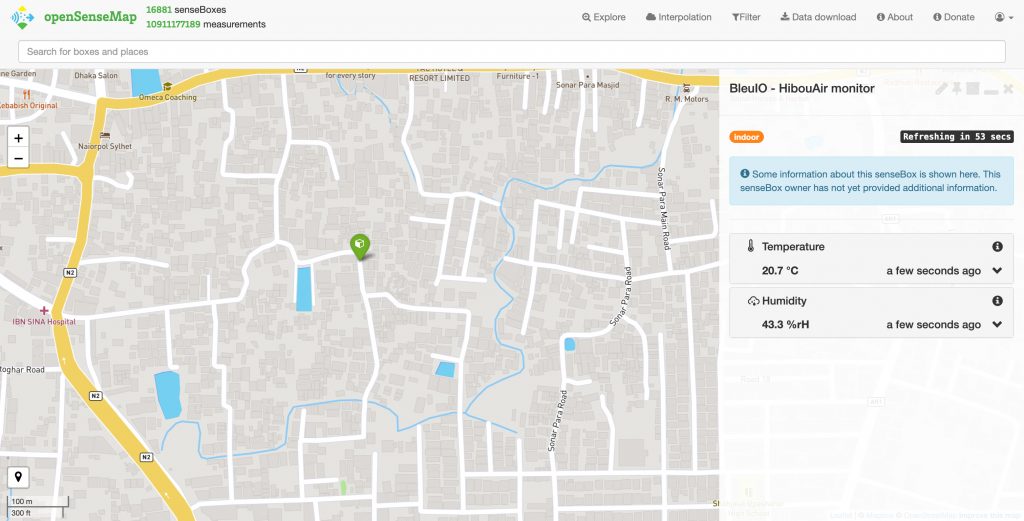
Outputs
Source Code
The full source code for this project is available on GitHub.
Users can download the project, configure their own openSenseMap IDs, add their HibouAir board ID, and run the script on their own system.
This project currently uploads only temperature and humidity, but it can be expanded easily.
Users can modify the script to decode and upload more environmental parameters, such as: CO2, VOC, Particulate matter, Air pressure, Light level etc.
Additional sensors can also be created in openSenseMap, and their sensor IDs can be added to the configuration file. This makes the project flexible for different air quality monitoring and IoT applications.
With only a BleuIO USB dongle, a HibouAir sensor, and a Python script, we can collect temperature and humidity data and make it publicly available. The project is easy to set up, requires no BLE pairing, and can be extended for more advanced air quality monitoring applications.
This update focuses on improving BLE scanning reliability, increasing data throughput during high-traffic scenarios, and adding a new AT command for checking the RSSI value of an active connection.
Improved BLE Scan Stability
One of the key improvements in this release is a more stable and efficient BLE scanning architecture.
With firmware v2.8.0.2, scan result parsing and USB logging have been moved to a dedicated Scan Processing Task. This separates scan data handling from the main BLE task, allowing BleuIO to process scan responses more reliably during high-traffic spikes.
New FIFO Scan Queue
To support this improved architecture, we have introduced a new FIFO scan response queue.
This queue passes scan data from the BLE Task to the Scan Processing Task in an orderly way. By separating BLE scanning from USB logging, BleuIO can now handle incoming scan responses more efficiently and reduce the chance of missed data when many BLE devices are advertising nearby.
Increased Data Throughput
The new scan processing flow helps increase overall data throughput.
By preventing USB logging from blocking or slowing down BLE scan handling, BleuIO can maintain better performance in busy BLE environments. This is especially useful for applications that rely on continuous scanning, device discovery, beacon monitoring, or BLE traffic analysis.
Resolved Race Conditions
Firmware v2.8.0.2 also includes improvements to resource handling between different internal tasks.
Mutexes have been added to protect shared resources used by the USB, BLE, and Scan Processing tasks. This helps prevent race conditions and improves overall firmware stability.
New AT Command: AT+CONNRSSI
This release also adds a new AT command:
AT+CONNRSSI
The AT+CONNRSSI command retrieves the RSSI value from an active BLE connection. This makes it easier for developers to monitor signal strength while a connection is active.
This command can be useful in applications where connection quality, distance estimation, or signal monitoring is important.
Why This Update Matters
BleuIO is used in many development and production environments where stable BLE communication is essential. Firmware v2.8.0.2 improves reliability when scanning in crowded BLE environments and provides developers with a simple way to check the RSSI of active connections.
Whether you are building BLE gateways, testing BLE devices, monitoring beacons, or developing connected products, this release provides a more stable and responsive experience.
Update Your BleuIO Firmware
We recommend updating to BleuIO firmware v2.8.0.2 to take advantage of the latest stability improvements and the new AT+CONNRSSI command.
For more information about BleuIO and available AT commands and firmware updates, please visit the BleuIO documentation.